Linux is a first-class platform for vkQuake. The developer publishes an official x86_64 AppImage with every release, BSD users get packages from their ports trees, and the source builds cleanly with Meson. This guide covers each route and the one quirk that causes most Linux support questions: upper-case file names.
What you need
You need a 64-bit Linux system with a Vulkan-capable GPU and driver. On AMD and Intel that usually means Mesa's RADV or ANV drivers, which ship with any current distribution. On NVIDIA, use the proprietary driver or a recent NVK-enabled Mesa. You can confirm Vulkan works by running vulkaninfo --summary from the vulkan-tools package. You also need the Quake data files from your own copy of the game.
The AppImage route (easiest)
An AppImage is a single file that bundles the program and its libraries, so it runs on most distributions without installing anything.
- Download vkQuake-1.36.0-x86_64.AppImage from the download section.
- Put your Quake data somewhere sensible, for example
~/Games/quake/id1/pak0.pakandpak1.pak. - Make the file executable with
chmod +x vkQuake-*.AppImage. - Run it from the game folder, or pass the folder with
-basedir.
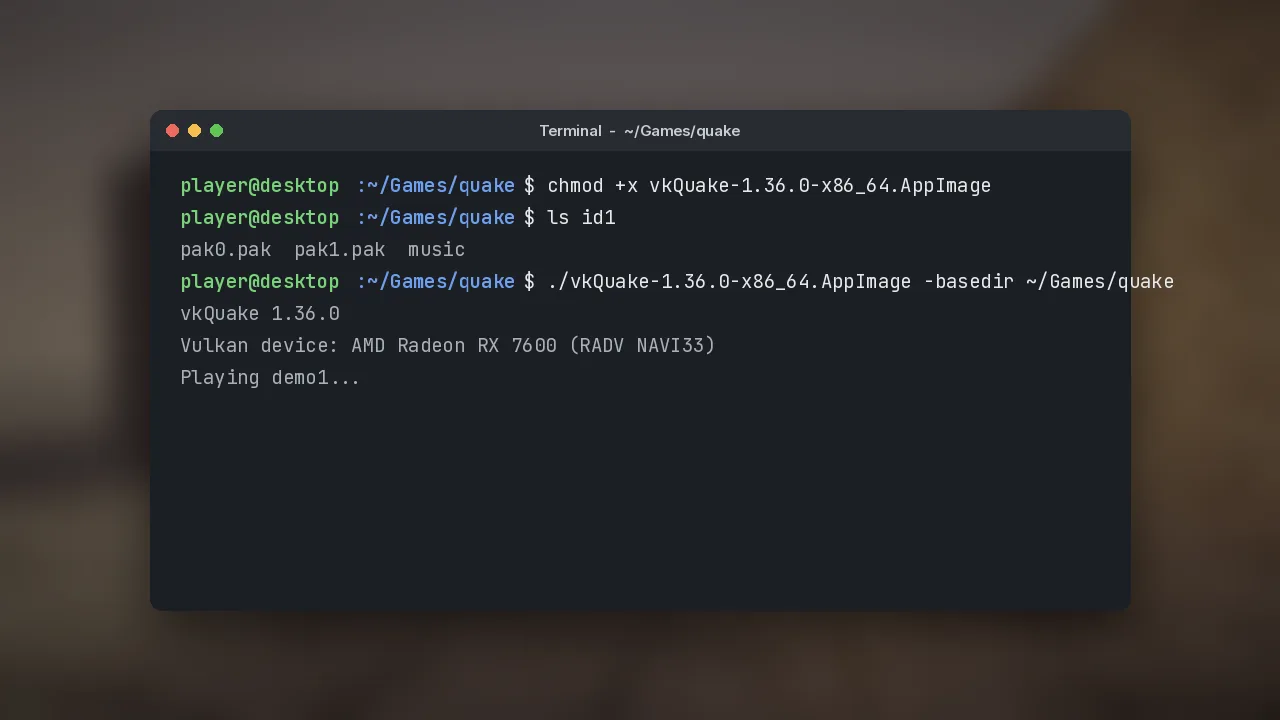
chmod +x vkQuake-1.36.0-x86_64.AppImage
./vkQuake-1.36.0-x86_64.AppImage -basedir ~/Games/quake
If your desktop needs FUSE to mount AppImages and it is missing, install your distribution's libfuse2 or fuse package, or extract the image with --appimage-extract and run squashfs-root/AppRun directly.
The lowercase rule
Linux file systems are case-sensitive, and vkQuake expects lowercase names: id1, not ID1, and pak0.pak, not PAK0.PAK. Some copies of the game, including older GOG downloads, use upper-case names. Rename the folder and files before launching, otherwise the engine reports that it cannot find its data. A one-line fix from inside the game folder is mv ID1 id1 && cd id1 && for f in *; do mv "$f" "${f,,}"; done.
Distro and BSD packages
OpenBSD has carried vkQuake in its package repository since 6.6 (pkg_add vkquake) and FreeBSD since 11.3 (pkg install vkquake). Several Linux distributions and community repositories also package it, but those versions can lag behind the GitHub release. If a feature from the changelog is missing, check the version with the version console command and switch to the AppImage.
Building from source
Building yourself makes sense if you want the latest commits or run an architecture without an official binary. On Ubuntu the documented dependencies are:
sudo apt-get install git meson gcc glslang-tools spirv-tools libsdl3-dev \
  libvulkan-dev libvorbis-dev libmpg123-dev libx11-xcb-dev
git clone https://github.com/Novum/vkQuake.git
cd vkQuake
meson build -Ddebug=true -Dstrip=false && ninja -C build
Arch and Fedora have equivalent package lists in the project README. Meson 1.3.0 or newer is required. If your distribution doesn't ship SDL3 yet, install the SDL2 development package and the build falls back to it automatically.
Steam Deck and handheld PCs
The AppImage works in the Steam Deck's desktop mode. Add it to Steam as a non-Steam game, set the launch option -basedir to your Quake folder, and it will run in Game Mode too. Controller input is handled through SDL, so the Deck's controls work without extra tools.
Next, tune the engine with our settings guide, or jump straight to installing custom maps.